CREATING a GameBoy game with PHP

Previously on, I’ve been decompiling the DuckTale GameBoy ROM using only PHP. That got me curious if one could MAKE a GameBoy ROM with PHP.

Assembly

My first stop was to better understand how the games were originally created, which led me to the RGBDS site with tons of info about GB game creation. It was actually one of the sites I used to find out what headers the Nintendo ROMS used, and how to access them. But for actually making games, it has everything. My main focus was looking at the Assembly code, and seeing how I could re-construct that from PHP.

Helpfully, there are a lot of boilerplate examples out there, so I pulled in some and created a very basic “main.asm” file. It handles all the setup, game loop, and arrow key presses. Then I did another very basic “game.asm” file.

You have to manually set values to specific memory addresses, like for the player’s x and y locations:

DEF player_x EQU $C000
DEF player_y EQU $C001

On the GameBoy, those are the start of the “Work RAM” locations. There are ~8k of those, if you wanted to store 8,000 integers between 0 and 254. It gets more complicated when you want to store larger numbers or other objects. I’m keeping it simple for now.

Then we set the initial state of the game…

    ld a, 76           
    ld [player_x], a
    ld a, 68            
    ld [player_y], a
    ld b, 76
    ld c, 68

This gets interesting, because “a” is the specific memory register any calculations are done. So here, we put (load) the number 76 into “a”… then load the value of “a” into the player_x memory location ($C000). Then do the same thing with the Y location, and then finally put them into the “b” and “c” registers. Honestly, I’m not exactly sure what the “b” and “c” are for at this point… but they’re used in the main.asm file. Looking at GameBoy code, it’s so much “load {value} into ‘a’, then load ‘a’ into {memory}”

Next is the game loop.

GameLoop:
    call WaitVblank
    call UpdateInputs

    ; -- Right --
    call KeyRight
    jr z, .noRight
    ld a, [player_x]
    cp 152              
    jr nc, .noRight
    inc a
    ld [player_x], a

WaitVblank keeps the system and screen synced up, and UpdateInputs is checking if any buttons are pressed. For this first pass, we’re only checking for up/down/left/right, but this also handles start/select/a/b/bumpers. For checking if the “right” arrow is pressed, it calls KeyRight and then checks if the z bit is set. If it IS, that means the button was NOT pressed, so you jump the .noRight symbol.

The next couple of lines are boundary checks, which I didn’t include in the PHP compiler. But from what I understand cp 152 is comparing ‘a’ with 152 (the right side of the screen). If ‘a’ is less than 152, it sets a “carry” flag, which means it’s fine to keep moving. The jr nc, .noRight line is “there is NOT a carry flag, so stop moving and go to the .noRight section”. Next increments ‘a’ and then updates the player’s X value with ‘a’. So the whole thing is checking “is right pressed? is left pressed? is up pressed? is down pressed?”, in order, every 1/60th of a second.

Then the one sprite:

SpriteTileData:
    db $18, $18         ; ...XX...  binary for 0001 1000
    db $3C, $3C         ; ..XXXX..  binary for 0011 1100, etc
    db $7E, $7E         ; .XXXXXX.
    db $FF, $FF         ; XXXXXXXX
    db $FF, $FF         ; XXXXXXXX
    db $7E, $7E         ; .XXXXXX.
    db $3C, $3C         ; ..XXXX..
    db $18, $18         ; ...XX...
SpriteTileDataEnd:

I know the sprites are set as 2 bits, a high and low bit. For this, it’s the same value for both to keep it simple. The main.asm files loads all these in the correct place so they display on screen.

At this point, I was able to run the needed commands, and got a .gb file that ran.

The PHP game file

My next step was to see how I wanted the PHP game file to look. I stubbed out a super basic idea. Setup fairly similar to how the assembly file is organized.

wait_vblank();
update_inputs();

Then I have function calls, that I plan on PascalCasing when calling the “main.asm” files. Other than that, not a whole lot going on. To compile it, I decided to just read each line of the file, do some preg_match … and build up an assembly file.

The PHP compiler

So this is currently a bit of a mess (but it works on my machine).

I changed a couple of things, like instead of defining variables with memory locations, I’m just using the locations directly. And I’m not doing boundary checks. And I renamed the “noRight/Left/etc” symbols to be a bit more flexible later on.

And when I ran my game code through it, it worked!

I even made a build script to do the whole process.

I have ideas for next steps. Like splitting up the compiler code to be more object-oriented, and less spaghetti. And hopefully will be easier to add new functionality. Part of the process is getting more indepth on the actual assembly code side of things… which I’m not sure I have much time to do. We’ll see.
Decompiling DuckTales for Game Boy… with PHP

I’ve been pulling apart the DuckTales Game Boy ROM byte by byte using PHP. Just PHP with file_get_contents() and a bunch of bitwise operators. Just out of pure curiosity, and whether it was possible. It’s been… interesting, so I figured I’d log what I’m doing.

It began when I got more into making games, and made a very simple platformer that ended being 50MB in size… but I remember playing DuckTales on GameBoy, and I know those cartridges couldn’t hold that size.

Loading a ROM

A Game Boy ROM is a flat binary file. No compression wrapper, no file system, nothing fancy. It’s just raw bytes . Loading it into PHP is simple:

$this->data = file_get_contents('ducktales.gb');
$this->size = strlen($this->data);  // 65,536 bytes

With DuckTales, it’s a full featured platformer, and all in a 64k file. With file_get_contents the whole game is a string in memory. Every byte accessible by index. Want byte number 500? ord($this->data[500]). PHP strings are byte arrays under the hood, which helps makes all this possible.

The Header

Every Game Boy cartridge has a header at fixed memory addresses. Nintendo standardized this so the boot ROM could validate cartridges. We just read the right offsets:

// Game title lives at bytes 0x134 through 0x143
$title = substr($this->data, 0x134, 16);
$title = rtrim($title, "\x00");  // strip null padding
// Returns: "DUCKTALES"

// Cartridge type at 0x147
$cartType = ord($this->data[0x147]);
// 0x01 = MBC1 (Memory Bank Controller 1)

// ROM size at 0x148
$sizeCode = ord($this->data[0x148]);
$actualSize = pow(2, 15 + $sizeCode);  // 32KB * 2^n

No magic here. The Game Boy hardware expected the title at 0x134. Most of these locations are documented by many other people, in other languages, but I didn’t write down all the url… so just google ’em if you want.

Finding Text in the ROM

Some text in ROMs is just plain ASCII. You can find it by scanning for runs of printable characters:

for ($i = 0; $i < $this->size; $i++) {
    $byte = ord($this->data[$i]);

    if ($byte >= 32 && $byte <= 126) {
        $current .= chr($byte);
    } else {
        if (strlen($current) >= 4) {
            echo "Found text at $i: $current\n";
        }
        $current = '';
    }
}

This catches copyright strings, debug text, anything stored as standard ASCII.

Most Game Boy games don’t use ASCII for their actual ingame text though. They use a custom encoding where each byte maps to a tile in the font. DuckTales maps it like this:

  • 0x01 through 0x1A = A through Z
  • 0x1B through 0x34 = a through z
  • 0x80 through 0x89 = 0 through 9
  • 0xFF = line break

So the letter “A” isn’t 0x41 (ASCII), it’s 0x01. tile #1 in their font tileset is the letter A. Once you figure out the mapping, decoding is just a big if/elseif:

if ($byte >= 0x01 && $byte <= 0x1A) {
    $result .= chr(ord('A') + $byte - 1);
} elseif ($byte >= 0x1B && $byte <= 0x34) {
    $result .= chr(ord('a') + $byte - 0x1B);
} elseif ($byte >= 0x80 && $byte <= 0x89) {
    $result .= chr(ord('0') + $byte - 0x80);
}

it works.

The Graphics

Game Boy tiles are 8×8 pixels with 4 shades of green (well, gray on the actual hardware… the green was just the screen). Each pixel needs 2 bits to store its shade (0-3), packed in a format called 2bpp (2 bits per pixel).

Here’s how one row of 8 pixels is stored in 2 bytes:

Byte 1 (low bits):  01011010
Byte 2 (high bits): 00110110
                     ^^^^^^^^
                     Pixel: 01001310  (combine bit from each byte)

For each pixel, grab one bit from byte 1 and one from byte 2, combine them, and you get a value 0-3. In PHP:

for ($row = 0; $row < 8; $row++) {
    $byte1 = ord($this->data[$address + ($row * 2)]);      // low bits
    $byte2 = ord($this->data[$address + ($row * 2) + 1]);  // high bits

    for ($bit = 7; $bit >= 0; $bit--) {
        $pixel = (($byte1 >> $bit) & 1) | ((($byte2 >> $bit) & 1) << 1);
        // $pixel is now 0, 1, 2, or 3
    }
}

Each tile is 16 bytes (8 rows × 2 bytes per row). So every 16-byte chunk in the graphics region is potentially a tile.

ASCII Art in the Terminal

Before even bothering with images, you can preview tiles right in the terminal:

$shades = [' ', '░', '▒', '█'];
echo $shades[$pixel];

That one line turns pixel values into a quick visual.

Actual PNG Output

Once you know the pixel values, GD handles the rest:

$image = imagecreate(64, 64);

// Classic Game Boy green palette
$colors = [
    imagecolorallocate($image, 155, 188, 15),  // lightest
    imagecolorallocate($image, 139, 172, 15),
    imagecolorallocate($image, 48, 98, 48),
    imagecolorallocate($image, 15, 56, 15),    // darkest
];

imagefilledrectangle($image, $x, $y, $x + $scale - 1, $y + $scale - 1, $colors[$pixel]);

imagepng($image, 'tile.png');

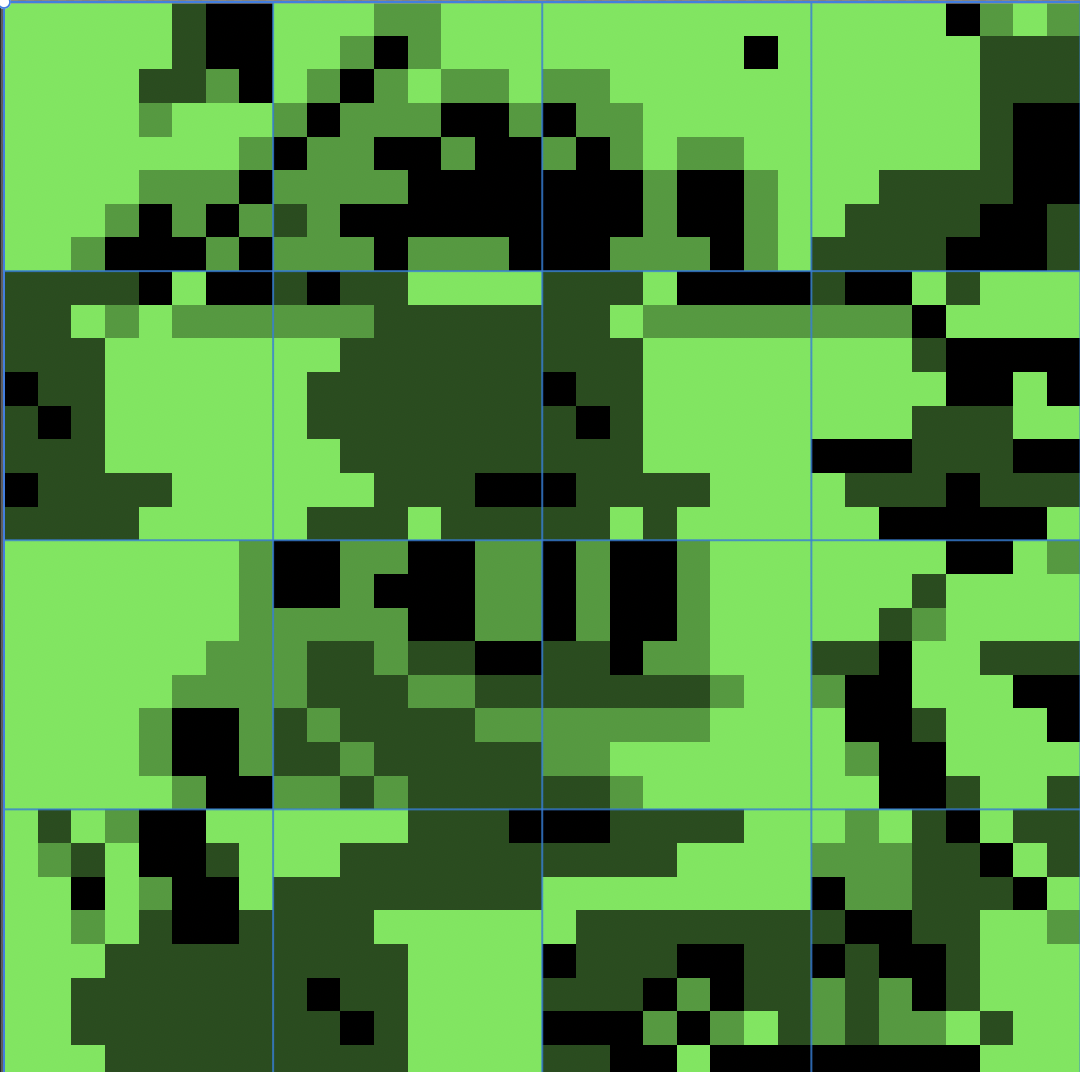
Actual Game Boy sprites rendered as PNGs from raw ROM data. Using PHP’s GD library.

Assembling Multi-Tile Sprites

Individual tiles are only 8×8 pixels. Scrooge McDuck is bigger than that. Characters are usually made up of 4 tiles (2×2 = 16×16 pixels) or 6 tiles (2×3 = 16×24 pixels).

The tricky part is figuring out HOW the tiles are arranged in memory. Left-to-right? Top-to-bottom? Interleaved? Some weird order specific to Capcom? We don’t know, so… trial and error:

$patterns = [
    'sequential'  => [0, 16, 32, 48],
    'interleaved' => [0, 32, 16, 48],
    'column_pairs' => [0, 16, 256, 272],
    'reverse'     => [48, 32, 16, 0],
];

Each array is 4 byte offsets from a base address, placed into a 2×2 grid. Generate a PNG for each pattern, look at the results, and one of them will look like an actual character. It’s not elegant, but it gets the job done. For example, below is one of the extracted spritesheets… and you can sort of seen Scrooge elements in the center:

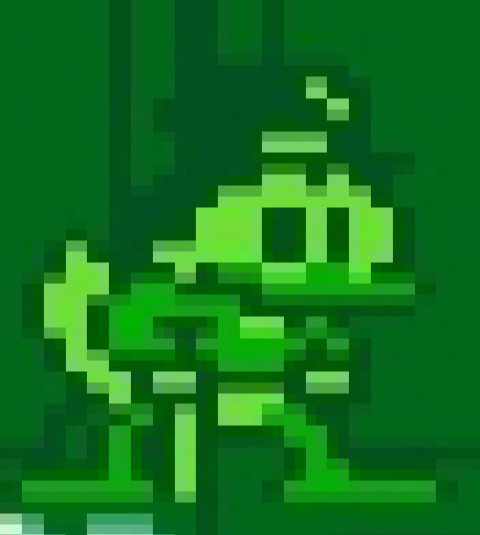
Here’s a screenshot from the actual game, and while some coloring is different, you can see elements…

Decompressing Hidden Graphics

Not all graphics are stored raw. Capcom used LZSS compression to fit more data into the ROM. It’s a fairly simple scheme with two operations: literal runs (“copy the next N bytes as-is”) and back-references (“copy N bytes from earlier output, starting M bytes back”).

The token format is one byte:

  • Bit 7 clear → literal run (lower 7 bits = count)
  • Bit 7 set → back-reference (lower 7 bits = length, next byte = offset)
  • 0x00 → end of data
while ($pos < $this->size) {
    $token = ord($this->data[$pos++]);

    if ($token === 0x00) break;

    if (($token & 0x80) === 0) {
        // Literal: copy next N bytes directly
        $count = $token & 0x7F;
        for ($i = 0; $i < $count; $i++) {
            $output .= chr(ord($this->data[$pos++]));
        }
    } else {
        // Back-reference: repeat from earlier output
        $length = $token & 0x7F;
        $offset = ord($this->data[$pos++]);
        $srcPos = strlen($output) - (256 - $offset);

        for ($i = 0; $i < $length; $i++) {
            $output .= $output[$srcPos + $i];
        }
    }
}

The interesting part is finding compressed blocks. We scan the entire ROM, try to decompress at every offset, and check if the result looks legit (decompressed size is bigger than compressed, output is a multiple of 16 bytes so it contains complete tiles). It’s bruteforce, but it turns up graphics you’d never find otherwise.

Finding Level Maps

Level layouts are stored as tile maps… grids of numbers where each number says “put tile #X here.” The game’s rendering engine reads these grids and draws the level by looking up each tile.

We scan for regions that look like tile map data using a pretty basic heuristic: if a block of bytes mostly contains values between 0x00 and 0x7F (valid tile indices), it’s probably a tile map.

for ($i = 0; $i < 32; $i++) {
    $byte = ord($this->data[$addr + $i]);
    if ($byte > 0x00 && $byte < 0x80) $score++;
    if ($byte == 0x00) $score += 0.5;
}
if ($score > 20) {
    // Probably a tile map
}

Once you have a map address and know where the tileset is, you can render an entire level preview by looking up each tile index and drawing it:

$tileId = ord($this->data[$mapAddr + ($y * $width + $x)]);
$tileAddr = $tilesetAddr + ($tileId * 16);  // 16 bytes per tile
// Decode and draw that tile at position (x, y) in the output image

Right now this handles all the data in the ROM: graphics, text, maps, compressed blocks. I think the next step is a full CPU disassembler for the Sharp SM83 (the Game Boy’s processor). So turning every byte in the code regions into readable assembly instructions, which I’m not sure if even possible?

Anyway… there’s literally no reason to do this, and I have no idea what I’m trying to accomplish.